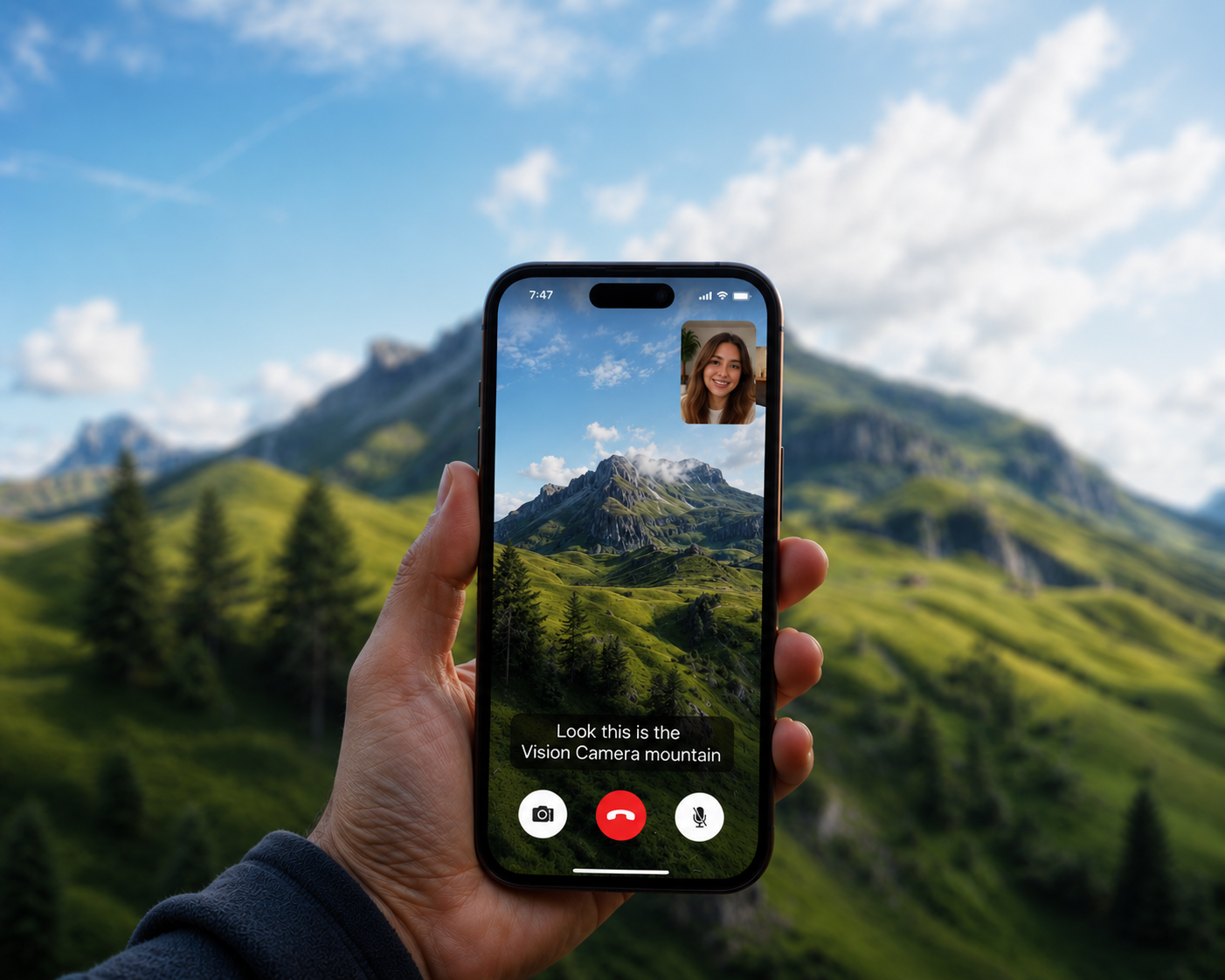
Real-time filters in Google Meet, Discord, and WhatsApp calls (background blur, virtual backgrounds, the subtle zoom that keeps you centered) feel like native-only magic. They aren't. The same effects can be built in React Native with VisionCamera and frame processors. Here's how.
At a high level, one swap unlocks everything. VisionCamera takes over the camera, a native engine composites the effects onto every frame, and each processed frame is injected into the video track LiveKit publishes:
VisionCamera ──► vc-engine (native effects) ──► LiveKit VideoSource ──► WebRTC encoder ──► peers
Everything downstream of the engine (LiveKit's encoder, transport, and signaling) stays exactly as it ships; only the pixels change. The rest of this post builds that pipeline up one piece at a time.
The Backend
The backend here is deliberately boring, so the interesting work can happen in the app.
It runs on LiveKit, a popular open-source project for scalable, multi-user conferencing built on WebRTC. LiveKit wins over raw WebRTC for one reason: it keeps the backend simple, leaving more time for the app itself. The server is a small Fastify app with two routes (one to create a room, one to join it) backed by standard LiveKit SDK calls. joinRoom also returns the public URL and access token the client needs to connect, and the whole thing deploys with a simple Docker Compose file. That's as far as this post goes on the backend; the rest would only pad it out.
A Basic Video Call
On the client, a fresh React Native CLI app with @livekit/react-native is enough for a working call:
export default function App() {
 return (
    <LiveKitRoom
      serverUrl={wsURL}
      token={token}
      connect={true}
      audio={true}
      video={true}
    >
      <RoomView />
    </LiveKitRoom>
  );
};

const RoomView = () => {
  const tracks = useTracks([Track.Source.Camera]);
  const renderTrack = ({item}) => {
    if(isTrackReference(item)) {
      return (<VideoTrack trackRef={item} style={styles.participantView} />)
    } else {
      return (<View style={styles.participantView} />)
    }
  };
  return (
    <View style={styles.container}>
      <FlatList
        data={tracks}
        renderItem={renderTrack}
      />
    </View>
  );
};
That minimal setup is already a working video call. The catch shows up the moment you want to do more with it: the LiveKit RN SDK owns its camera and exposes almost no control over it. No filters, no advanced camera features. A handful of video presets is about it.
Which raises the obvious question: what if a proper camera library drove the call instead? And what's better for that than VisionCamera, the react-native-vision-camera library?
LiveKit's WebRTC layer can transform its own camera frames, but only through a video processor written and registered on the native side; there's no real JS API for it. Even then, the camera underneath stays WebRTC's barely-configurable one, with none of what VisionCamera offers for free: constraints, multiple outputs, a full-resolution photo mid-call, and more.
How LiveKit Injects Frames
Replacing the camera starts with understanding how the SDK feeds frames in the first place. On React Native, LiveKit uses @livekit/react-native-webrtc (a fork of react-native-webrtc) for all of its WebRTC, audio, and camera plumbing. The goal is to replace only the camera, leaving everything else untouched.
That plumbing lives entirely on the native side. When the SDK creates a camera track, it builds a WebRTC video source, starts the native camera capturer, and (the key detail) wires the capturer's frames into that source.
On Android, GetUserMediaImpl.createVideoTrack() hands the capturer the source's CapturerObserver:
The line that matters is videoCapturer.initialize(..., videoSource.getCapturerObserver()). From there, every camera frame reaches the encoder through a single call: videoSource.getCapturerObserver().onFrameCaptured(frame).
On iOS, it's the same dance with different vocabulary. An RTCVideoSource already conforms to RTCVideoCapturerDelegate, so the capturer is created with the source as its delegate, initWithDelegate:videoSource:
Every frame then reaches the source through the delegate method [videoSource capturer:capturer didCaptureVideoFrame:frame], the iOS twin of Android's onFrameCaptured.
That observer (Android) / delegate (iOS) is the entire seam. The video source doesn't care who feeds it frames; the camera capturer is just the default producer. Grab a reference to it, push frames in directly, and LiveKit will encode and ship them as if they came straight from the camera. The plan follows from there:
- Let VisionCamera own the real camera.
- Push each finished frame into
videoSource.getCapturerObserver().onFrameCaptured(...), bypassing WebRTC's camera while leaving its encoder, transport, and signaling untouched.
Taking Over the Camera with VisionCamera
Step one is to disable LiveKit's camera with video={false}, then mount a VisionCamera frame output in its place:
import { Engine } from 'react-native-vc-engine';

const frameOutput = useFrameOutput({
    pixelFormat: 'yuv',
    dropFramesWhileBusy: true,
    onFrame: (frame) => {
      'worklet';
      try {
        Engine.forwardFrame(frame);
      } finally {
        frame.dispose();
      }
    },
});

return (
  <Camera
    device={device}
    isActive
    outputs={[frameOutput]}
    constraints={[{ resolutionBias: frameOutput }, { fps: CAPTURE.fps }]}
  />
);
This is ordinary VisionCamera v5: constraints and a frame output. The one new piece is Engine.forwardFrame.
react-native-vc-engine is a frame-processor Nitro module (in VisionCamera v5, every frame processor is one). forwardFrame is its single entry point, the function the worklet calls on every frame. Inside, it does the heavy lifting (the format conversion and filters covered below), and as its final step calls push (its real name in the engine), handing the finished frame to LiveKit's video source through the same onFrameCaptured (Android) / capturer delegate (iOS) seam from earlier:
Android
fun push(frame: VideoFrame): Boolean {
  val id = activeTrackId ?: return false
  val source = sources[id] ?: return false
  source.capturerObserver.onFrameCaptured(frame)
  return true
}
iOS
func push(pixelBuffer: CVPixelBuffer, rotation: RTCVideoRotation, timestampNs: Int64) -> Bool {
  guard let source = activeSource, let capturer = activeCapturer else { return false }
  let buffer = RTCCVPixelBuffer(pixelBuffer: pixelBuffer)
  let frame = RTCVideoFrame(buffer: buffer, rotation: rotation, timeStampNs: timestampNs)
  source.capturer(capturer, didCapture: frame)
  return true
}
But where do sources and activeTrackId come from? push routes each frame to sources[activeTrackId], so a real WebRTC source has to land in that map first. That's the other half of the bridge, and it runs once when the call starts.
Where the Source Comes From
From JS, RtcBridge (vc-engine's control-plane companion to Engine, exported from the same react-native-vc-engine module) is asked to mint a track, mark it active, and publish it like any other:
const info = RtcBridge.createTrack(width, height, fps);
RtcBridge.setActiveTrackId(info.trackId);
// wrap info.trackId as a MediaStreamTrack and publishTrack() it
createTrack is where sources gets filled. react-native-webrtc never exposes its PeerConnectionFactory, so the bridge reaches into the running WebRTCModule and borrows it: through reflection on Android, KVC on iOS. It then builds a source-backed track and registers it twice: once with LiveKit so the track is publishable, once with the engine's own registry so frames can find the source.
Android
val factory = webRTC.peerConnectionFactory()       // reflected out of WebRTCModule.mFactory
val source = factory.createVideoSource(false)       // our own source
val track = factory.createVideoTrack(trackId, source)
webRTC.registerLocalTrack(trackId, track, source)   // into GetUserMediaImpl.tracks → publishable
VCTrackRegistry.register(trackId, source)           // ← this IS the `sources` map
iOS
let factory = module.value(forKey: "peerConnectionFactory") as? RTCPeerConnectionFactory
let source = factory.videoSource()                  // our own source
let track = factory.videoTrack(with: source, trackId: trackId)
localTracks[trackId] = track                         // into WebRTCModule.localTracks → publishable
let capturer = RTCVideoCapturer(delegate: source)
registry.register(trackId: trackId, source: source, capturer: capturer)  // ← the `sources` map
So sources is just a trackId → VideoSource map, and each source is a genuine WebRTC source created from LiveKit's own factory, which is precisely why a frame pushed into it lands in LiveKit's encoder. activeTrackId is whatever JS last passed to setActiveTrackId, so push always targets the source LiveKit is currently publishing.
That's the whole trick: the engine's frames flow through LiveKit's encoder and out to every peer, on a track LiveKit publishes exactly like any camera track. (They're just converted frames so far; the effects come next.)
Matching the Format WebRTC Expects
There's one catch before any of this works: frames can't be forwarded as-is. Each platform's encoder expects a specific pixel format, and converting to it is forwardFrame's real job.
VisionCamera can hand back frames in a few formats; we ask for YUV (pixelFormat: 'yuv'), the one closest to what WebRTC wants. Even so, the exact target differs per platform:
            VisionCamera gives      we convert to            WebRTC wants
            ──────────────────      ─────────────            ────────────
 Android    YUV_420_888 planes  ──► I420 (3 planes)      ──► VideoFrame(JavaI420Buffer)
 iOS        NV12 planes         ──► NV12 CVPixelBuffer    ──► RTCVideoFrame(RTCCVPixelBuffer)
On Android, WebRTC's encoder ultimately calls toI420() on whatever buffer it's handed, so handing it a ready-made one is the cheapest option. The VideoFrame.I420Buffer contract is simply Y/U/V planes plus their strides:
YUV_420_888 is almost that, but its chroma may be semi-planar (NV12/NV21) with row padding, so the planes are copied into a real JavaI420Buffer, de-interleaving UV when needed:
val i420: JavaI420Buffer = JavaI420Buffer.allocate(w, h)
copyPlane(y, yStride, i420.dataY, i420.strideY, w, h, 1)            // Y, as-is
if (uvPixelStride == 1) {                                          // already planar
  copyPlane(u, uStride, i420.dataU, i420.strideU, cw, ch, 1)
  copyPlane(v, vStride, i420.dataV, i420.strideV, cw, ch, 1)
} else {                                                           // semi-planar -> split
  deinterleaveUv(u, uStride, uvPixelStride, i420.dataU, i420.dataV, i420.strideU, cw, ch)
}
On iOS, WebRTC accepts a CVPixelBuffer directly through RTCCVPixelBuffer, and the camera already produces NV12:
A fresh full-range NV12 CVPixelBuffer is rebuilt, with the Y and CbCr planes memcpy'd in:
var out: CVPixelBuffer?
CVPixelBufferCreate(kCFAllocatorDefault, width, height,
                    kCVPixelFormatType_420YpCbCr8BiPlanarFullRange, attrs, &out)
guard let dst = out else { return nil }
CVPixelBufferLockBaseAddress(dst, [])

memcpy(CVPixelBufferGetBaseAddressOfPlane(dst, 0), yPlane, ySize)    // Y    -> plane 0
memcpy(CVPixelBufferGetBaseAddressOfPlane(dst, 1), uvPlane, uvSize)  // CbCr -> plane 1

CVPixelBufferUnlockBaseAddress(dst, [])
return dst   // the engine reads from this; push() emits its result as an RTCCVPixelBuffer
Wondering about that copy? The camera's frame is already an NV12 CVPixelBuffer, so forwarding it untouched would be zero-copy. The engine copies for two reasons: it reads every frame as planes for one API across both platforms (Android has no CVPixelBuffer), and it runs filters on each one (hold your horses, that's coming next), producing its own output buffer regardless.
The Complete Path
With the conversion in place, frames flow from VisionCamera all the way to every peer. Here is the full journey of a single frame:
┌──────────────┐         ┌────────────────────┐         ┌─────────────────────┐
│ VisionCamera │ ──────► │ vc-engine (native) │ ──────► │ LiveKit VideoSource │ ──► peers
│    'yuv'     │         │   convert → push   │         │  encoder·transport  │
└──────────────┘         └────────────────────┘         └─────────────────────┘
Each hop is a single call: Engine.forwardFrame(frame) from the worklet, then the engine's push into the source via onFrameCaptured / didCaptureVideoFrame. The source itself is minted once by RtcBridge.createTrack(), borrowing WebRTC's own PeerConnectionFactory.
And that path is the real unlock, not the finish line. Once every frame runs through vc-engine on its way to the encoder, the call's video is entirely ours: anything that can be done to a frame in a few milliseconds can be done to a live call, with no cooperation from LiveKit and no second camera. Blur the room away, drop in a beach, keep the speaker centered as they move, paint on top of the video as it streams: same pipeline, wildly different results. That's what the rest of this post is about.
Adding Filters
Each filter is a frame transformed before it reaches LiveKit, and there are two reasonable places to do that work: inside vc-engine, or in a separate frame processor (another Nitro module) that returns the frame to JS, which then pushes it to the engine. This project uses the first approach (fewer hops between native and JS, and no extra Nitro module), but both are valid; it comes down to the use case.
Background Blur
Blurring a call isn't "blur the whole frame." It's keeping the person sharp while blurring everything behind them. That breaks into three jobs:
- a mask: which pixels are the person,
- a blurred copy of the frame,
- a composite: take the sharp pixel where the mask says "person", the blurred one everywhere else.
camera ─┬─► segment ─► mask ────┐
        └─► blur ────► blurred ─┴─► composite ─► out
1. The mask. There's no need to hand-roll segmentation; each platform ships a good one. Android uses MediaPipe's selfie ImageSegmenter; iOS uses Vision's VNGeneratePersonSegmentationRequest (free, and it runs on the Neural Engine).
// Android — MediaPipe
val options = ImageSegmenter.ImageSegmenterOptions.builder()
  .setBaseOptions(BaseOptions.builder().setModelAssetPath("selfie_segmenter.tflite").build())
  .setRunningMode(RunningMode.VIDEO)
  .setOutputConfidenceMasks(true)        // output a 0..1 person-confidence mask, not a hard cutout
  .build()
// iOS — Vision
let request = VNGeneratePersonSegmentationRequest()
request.qualityLevel = .balanced         // good edges, runs on the ANE
request.outputPixelFormat = kCVPixelFormatType_OneComponent8
The catch: inference takes roughly 20 to 30 ms, too slow to run inline at 30 fps. So segmentation runs off the frame thread, latest frame wins: it gets a downscaled frame, the pipeline keeps compositing with whatever mask finished most recently, and nothing blocks. A mask that's a frame or two stale is invisible; a face barely moves between frames.
fun submit(bitmap: Bitmap) {
  if (!busy.compareAndSet(false, true)) { bitmap.recycle(); return }   // busy → drop
  executor.execute {
    val masks = seg.segmentForVideo(BitmapImageBuilder(bitmap).build(), ts).confidenceMasks()
    latest = Mask(readMask(masks[0]), masks[0].width, masks[0].height)  // newest wins
    busy.set(false)
  }
}
2. The blur. A full-resolution Gaussian on every frame is too expensive, so both platforms cheat the same way: blur small, scale up. Shrink the frame, blur the tiny copy, and stretch it back; the upscale's interpolation does most of the smoothing for free.
// Android (CPU) — average down to a small grid, then bilinear-upsample
val dw = w / blurDivisor; val dh = h / blurDivisor
// downsample: each cell = the average of its source block → small[dw * dh]
// then upsample back to full size, interpolating between cells:
dst[i] = bilerp(small[c00], small[c10], small[c01], small[c11], wx, wy)
// iOS (Metal) — two stock Metal Performance Shaders (MPS) kernels, created
// once and re-encoded into the same command buffer as the composite:
downscale.encode(...)    // MPSImageBilinearScale: camera plane → 1/4-res scratch
gaussian.encode(...)     // MPSImageGaussianBlur: blur the 1/4-res copy
// blurring 1/16th of the pixels ≈ a big-radius full-res blur, for a fraction of the cost
3. The composite. Now use the mask to pick per pixel: the person from the sharp frame, the background from the blurred one.
// Android — a per-pixel branch
outArgb[i] = if (mask[i] > 0.5f) camera[i] else blurred[i]
// iOS — one fused Metal kernel per plane; a smooth mix() so edges feather instead of stair-stepping
float fg = camY.sample(s, camUV).r;                    // sharp camera
float bg = bgY.sample(s, camUV).r;                     // blurred camera
value    = mix(bg, fg, mask.sample(s, orientedUV).r);  // person where mask ≈ 1
And that's the whole filter. The neat part: swap step 2's "blurred copy" for a solid color or an image, and virtual backgrounds come for free: same mask, same composite, just a different thing to blend behind the person.
Back to LiveKit. All of this still happens inside forwardFrame, on the frame-processor worklet thread: once the composite finishes, the engine pushes its result the same way the no-effect path did. The composite just wrote a brand-new frame: on Android into outArgb, on iOS into the buffer Metal rendered to. That frame goes straight into the same push() from earlier: Android packs outArgb back into a JavaI420Buffer, iOS wraps Metal's output in an RTCCVPixelBuffer, and both land on the onFrameCaptured / didCaptureVideoFrame seam.
// Android — composite (outArgb) → I420 → push()
pushI420(argbToI420(outArgb, w, h), rotation, timestampNs)
// iOS — Metal's output; rotation already baked in, so push upright with a monotonic stamp
push(pixelBuffer: composited, rotation: ._0, timestampNs: monoTsNs)
The two platforms even differ in how they orient the frame. iOS bakes rotation into the Metal sampling pass, so it pushes an already-upright frame tagged ._0, with a monotonic timestamp. VisionCamera's frame.timestamp isn't monotonic-ns, and WebRTC's encoder drops frames fed a non-increasing one. Android instead passes the frame's real rotation as VideoFrame metadata and forwards the camera timestamp, letting WebRTC rotate downstream.
And that finally answers the memcpy from the format section. The engine never forwards the camera's buffer untouched. It reads each frame into its own working buffer, composites a brand-new frame on top, and emits that. There's no pristine zero-copy frame to preserve, so the conversion isn't wasted work; it's just the engine handing back its own result in the layout the encoder wants: JavaI420Buffer on Android, RTCCVPixelBuffer on iOS.
Color and Photo Backgrounds
Blur was really just "mask + composite + something behind the person." Make that something a flat color or a decoded image, and two more filters fall out for almost no code. Only the background fill changes; the mask, composite, and push stay identical:
when (backgroundMode) {
  COLOR -> bgArgb.fill(color)          // solid color
  IMAGE -> System.arraycopy(photo, …)  // a decoded image, scaled once
  else  -> blurInto(camera, bgArgb)    // blur
}
On iOS it's the same fused Metal kernel, where bg is simply picked by mode before the mix:
// iOS — one composite kernel, background chosen per mode
float bg = u.bgColor.x;                               // solid color
if (u.bgKind == 1)      bg = bgY.sample(s, camUV).r;      // blurred camera
else if (u.bgKind == 2) bg = bgY.sample(s, orientedUV).r; // baked image texture
value = mix(bg, fg, m);
Center Stage
Apple's Center Stage keeps you framed as you move around, and the same effect runs on both platforms. There's no background swap this time. Instead, the face is detected (ML Kit on Android, Vision on iOS), a crop is sized around it, that crop is smoothed over time so it glides, and the frame is resampled through it. The zoom follows the face's area:
// Android — face too small → ease toward the target area, damped by strength (~0.5), capped at 2.2×
if (faceArea < 0.12f) targetZoom = min(1f + (sqrt(0.28f / faceArea) - 1f) * strength, 2.2f)
// iOS — same math, line for line (Vision provides the face box; the rest is shared)
if areaFraction < 0.12 { targetZoom = min(1 + (sqrt(0.28 / areaFraction) - 1) * strength, 2.2) }
Center Stage runs through the same composite path as everything else; the only new input is that crop rectangle.
Every filter so far (blur, color, photo backgrounds, Center Stage) is the same path, differing only in what feeds the composite. Here's the complete path from earlier, now with that filter stage drawn in:
┌──────────────┐     ┌──────────────────────────────────────┐     ┌─────────────────────┐
│ VisionCamera │ ──► │ vc-engine (native)                   │ ──► │ LiveKit VideoSource │ ──► peers
│    'yuv'     │     │  convert → composite → push          │     │  encoder·transport  │
└──────────────┘     └──────────────────────────────────────┘     └─────────────────────┘
                         │
                         └─ composite = mix(background, camera, mask)
                              • mask        ← segmentation, off-thread · latest frame wins
                              • background  ← blur · color · image (· crop for Center Stage)
Swap what background and mask resolve to and a different filter falls out; the plumbing never changes.
Air Draw
Every filter so far has been pure pixel math. Air Draw is the odd one out: it takes input. A finger scribbles on the screen, those strokes are rendered with Skia, and the result is composited straight onto the frame before it's pushed. Because the drawing is baked into the published track (not a local overlay), everyone on the call sees it, live.
It's the background pipeline flipped: instead of blending something behind the person, a Skia-drawn stroke layer is blended over the frame.
camera ─► [effects] ─► draw Skia strokes on top ─► push
The clip above was captured live on my own phone, on a real call.
Same forwardFrame plumbing, a Skia canvas for the strokes, and the video call doubles as a shared whiteboard.
Performance
The engine follows one rule: never make the camera wait. forwardFrame is synchronous (convert, composite, push, return) and does the minimum; everything expensive runs elsewhere. Segmentation and face detection run on their own queues, latest frame wins, and are never awaited, so the published video stays pinned to camera frame rate no matter how slow a given inference is. With dropFramesWhileBusy: true on the frame output, the camera sheds frames under load instead of queueing them.
The platform split keeps that path cheap. iOS does the pixels on the GPU: one Metal command buffer per frame, NV12 throughout the frame path (no per-frame RGB round-trip), written zero-copy into the encoder. Android stays in plain Kotlin on the CPU for readability, with the same math ready to drop into NEON SIMD or a Vulkan / GL compute shader when more headroom is needed. Output geometry is constant, so WebRTC never rescales and toggling an effect never reconfigures the encoder.
                iOS                                  Android
 ingest         rebuild NV12 CVPixelBuffer           build I420 from planes
 segmentation   Vision, off-thread, latest wins      MediaPipe, off-thread, latest wins
 compositing    one fused Metal pass/plane (GPU)     per-pixel loop in Kotlin (CPU)
 color space    YCbCr end-to-end (no RGB)            ARGB for the composite
 to encoder     pooled NV12, GPU-written, zero-copy  JavaI420Buffer
 output         HD portrait                          VGA
These numbers come from a deliberately honest setup. We were in Asia and hosted the LiveKit server on a small VM in a US region, so every call crossed the planet and ran under real, worst-case network latency rather than localhost. To measure frame rate we used modest clients, a 2021 iPhone 13 and a low-end Samsung Galaxy F14:
- iPhone 13 (GPU / Metal) carries every effect at the full 30 fps capture rate.
- Samsung Galaxy F14 (CPU / Kotlin) scales with the per-frame work: ~30 fps while forwarding or with a light effect, ~25 fps with Center Stage, easing to ~15-20 fps under the heaviest path (center stage + segmentation + blur + composite) on a budget chip.
That Android drop is the whole reason the CPU math is written to move to NEON SIMD or a GPU compute shader when a device needs the headroom; nothing else in the pipeline changes.
Final Thoughts
Swapping LiveKit's camera for VisionCamera turns a fixed video call into a fully programmable one. Every effect here (blur, virtual backgrounds, Center Stage, Air Draw) rides on the same foundation: own the camera with VisionCamera, modify the frame in a native engine, and push it into the WebRTC source LiveKit already publishes. The transport, encoding, and signaling never change; only the pixels do.
From there, a new filter is rarely more than a new way to fill or composite a frame. The hard part (getting a custom frame onto the wire at all) is already done.
We'll be open-sourcing the full example soon, so you can clone it and try all of this for yourself.
Want real-time camera filters like these (background blur, virtual backgrounds, Center Stage, live drawing) running at full frame rate in your own app? Fast, native-quality video is exactly the kind of work we do at Margelo. Reach out and we'll help you ship it.